
I decided to try the less expensive BT 4.1 and Wifi combo dw1820a for my Elitebook 820 G3 hackintosh instead of the more expensive dw1560 M2.
-
- dw1820a top side
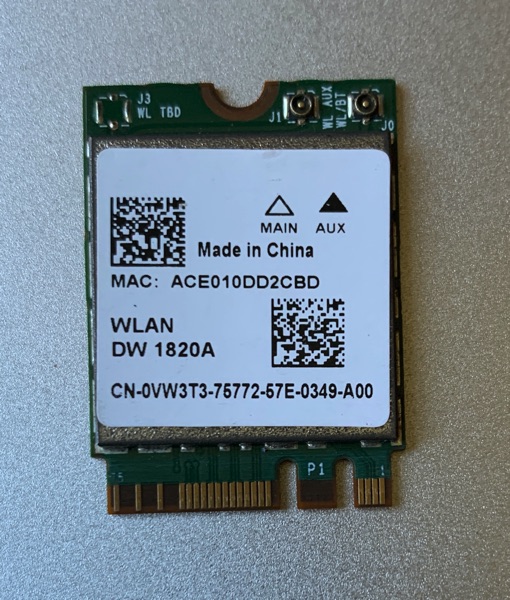
-
- dw1820a bottom side
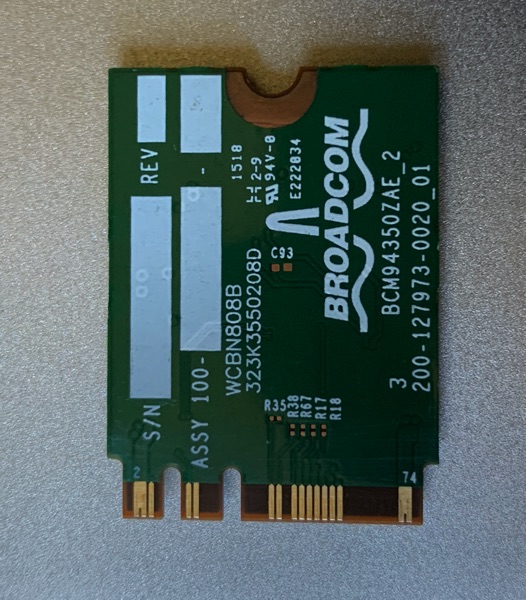
-
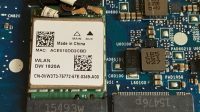
- dw1820a in motherboard
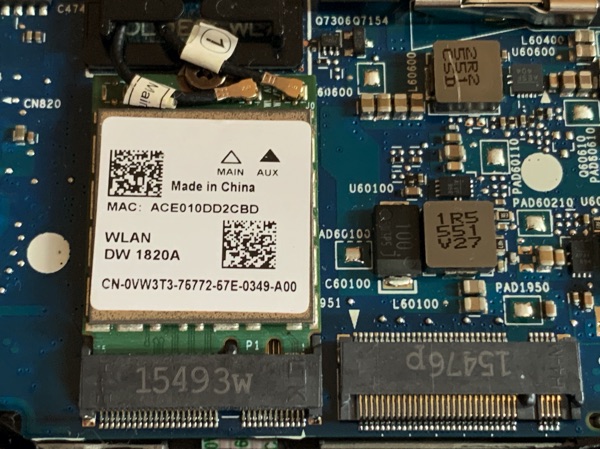
-
- dw1820a in motherboard

Before we tape all the pins recommended by other people, download Windows drivers and install them first to see if they work, if they work then chances are the OpenCore will work too. I had problems with Clover not to boot or booted without WIFI and BT not handoff supported.
- Download the Windows 10 drivers from here
- Download macOS Catalina kexts from here. Put them into the Kexts folder.
- Install Kexts in kernel of the OC config file
<dict>

<key>BundlePath</key>

<string>AirportBrcmFixup.kext</string>

<key>Comment</key>

<string>BrcmAirportFixup</string>

<key>Enabled</key>

<true/>

<key>ExecutablePath</key>

<string>Contents/MacOS/AirportBrcmFixup</string>

<key>MaxKernel</key>

<string></string>

<key>MinKernel</key>

<string></string>

<key>PlistPath</key>

<string>Contents/Info.plist</string>

</dict>

<dict>

<key>BundlePath</key>

<string>BrcmBluetoothInjector.kext</string>

<key>Comment</key>

<string>BrcmBluetooth</string>

<key>Enabled</key>

<true/>

<key>ExecutablePath</key>

<string></string>

<key>MaxKernel</key>

<string></string>

<key>MinKernel</key>

<string></string>

<key>PlistPath</key>

<string>Contents/Info.plist</string>

</dict>

<dict>

<key>BundlePath</key>

<string>BrcmFirmwareData.kext</string>

<key>Comment</key>

<string>BrcmBluetoothFirmware</string>

<key>Enabled</key>

<true/>

<key>ExecutablePath</key>

<string>Contents/MacOS/BrcmFirmwareData</string>

<key>MaxKernel</key>

<string></string>

<key>MinKernel</key>

<string></string>

<key>PlistPath</key>

<string>Contents/Info.plist</string>

</dict>

<dict>

<key>BundlePath</key>

<string>BrcmPatchRAM3.kext</string>

<key>Comment</key>

<string>BrcmBatchRam3</string>

<key>Enabled</key>

<true/>

<key>ExecutablePath</key>

<string>Contents/MacOS/BrcmPatchRAM3</string>

<key>MaxKernel</key>

<string></string>

<key>MinKernel</key>

<string></string>

<key>PlistPath</key>

<string>Contents/Info.plist</string>

</dict>
Add device properties for dw1820a, make sure it’s on the correct pciroot path
<dict>

<key>PciRoot(0x0)/Pci(0x1c,0x3)/Pci(0x0,0x0)</key>

<dict>

<key>compatible</key>

<string>pci14e4,4331</string>

<key>pci-aspm-default</key>

<integer>0</integer>

<key>AAPL,slot-name</key>

<string>Internal@0,28,3/0,0</string>

<key>device_type</key>

<string>Network controller</string>

<key>model</key>

<string>BCM4350 802.11ac Wireless Network Adapter</string>

</dict>
Try to boot without injected patched DSDT.aml first by set enable to NO.
<dict>

<key>Comment</key>

<string>MacBookPro13,2</string>

<key>Enabled</key>

<false/>

<key>Path</key>

<string>DSDT.aml</string>

</dict>
- Dell Latitude 7410 Hackintosh
- Sleep is Greyed Out on Mac
- HP Elitebook 845 G7 Ryzen 7 Pro 4750u Hackintosh
- How To Fix Recent Folder Shows Nothing On macOS
- Fix Coffee Lake Dim Backlight On Sonoma and Sequoia
- HP EliteBook 840 G7 Hackintosh
- Fix and Replace Dell 5401 Trackpad Click Buttons
- Godo USBC NVME case
- Dell Latitude 5401 Hackintosh
- ECEnabler.kext