
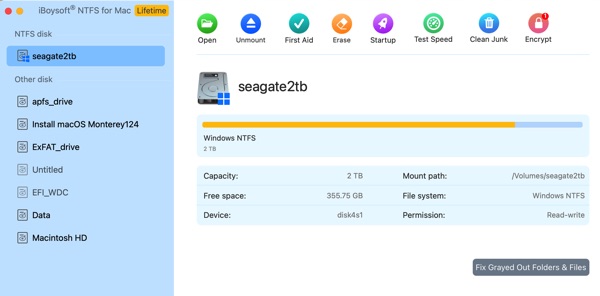
I’ve gotten a new MacBook Air M4 and I want to install iBoysoft NTFS driver to mount external NTFS hard drives to read and write between my Mac and NTFS. The macOS is Sequoia 15.7.4, latest. The procedure to install is a little more than just install the driver.
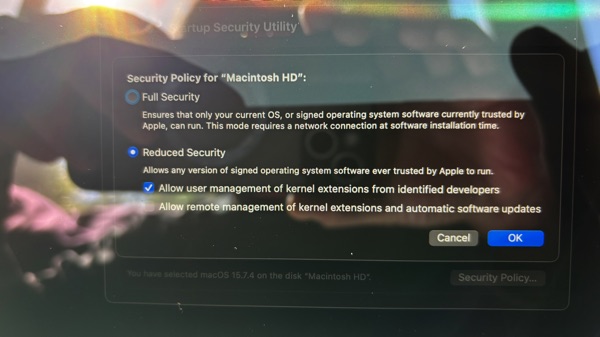
2. Install the NTFS driver and go to Recovery, Startup Security Utility to change the settings to accept iBoysoft developer.
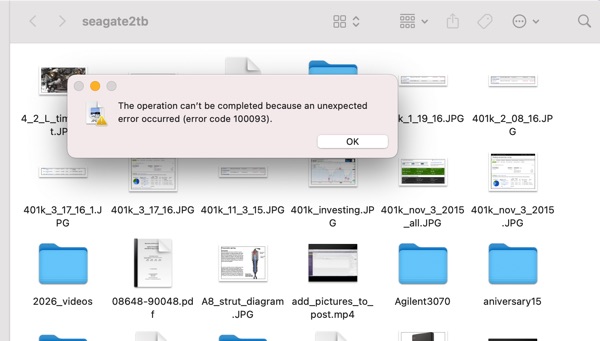
If we don’t do the startup security utility correctly, we will get the error code 100093 which prevent writing to the NTFS drive.
- Mount NTFS On macOS
- Install iBoysoft NTFS Driver For Silicon Mac
- Recents Folder Empty After Restart macOS
- How To Fix Quicktime Player Screen Recording Error
- iCloud: Could Not Communicate With Server
- Prevent macOS Monterey To Upgrade Automatically
- How To Create macOS App To Run Sudo Command with Password
- How I fixed BlueStacks Crashing in Big Sur 11.4
- How To Make External NTFS Hard Drives Writable In Big Sur
- How To Get iMessage and FaceTime Working On Big Sur