
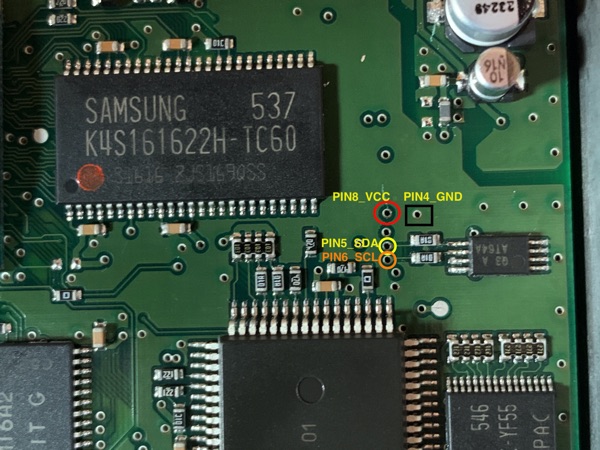
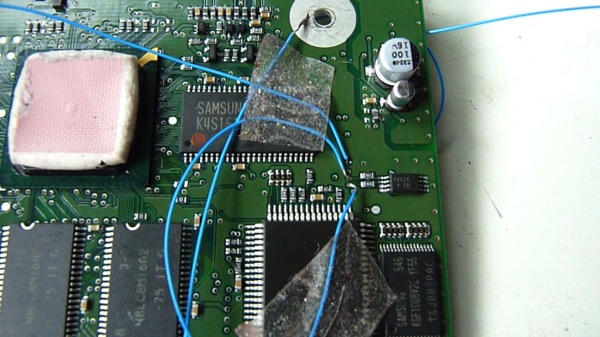
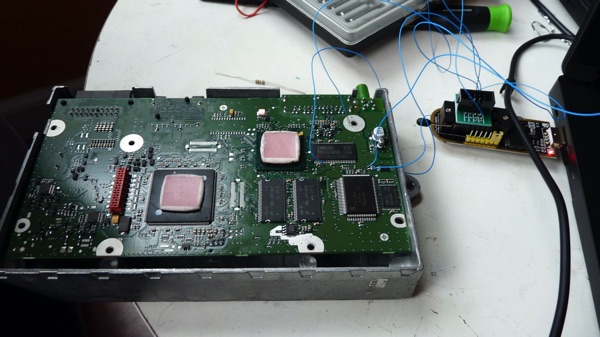
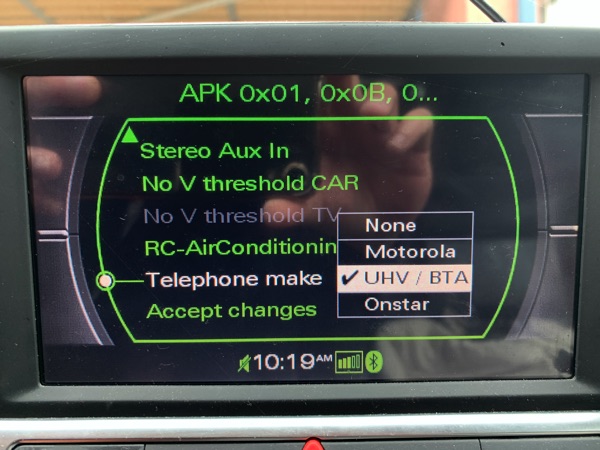
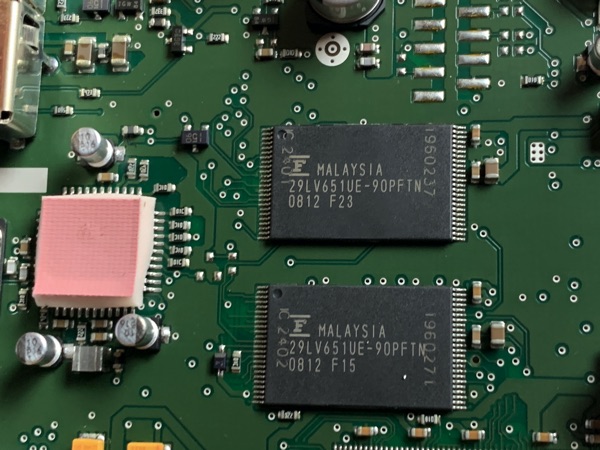
When we replaced a new MMI 2G Head Unit (4E0035729-A) from a donor car, chances are we will have component protection (CP) which prevents us to play radio or CD changer, the sounds will be muted (disabled) and we would see the speaker icon with a slash on it. There is one way to restore the sounds but not the CP by program the eeprom AT64A on the Head Unit with the old (original HU) image. The way to do this is using a CH341A USB programmer with some 30 agw wires, small enough to slide through the vias on the PCB. If you received a Head Unit that has CP removed, you may need to use VCDS to turn on the Suspension and other menus, especially the BT module (the telephone option must be set to UHV/BTA). If you upgraded the MMI software and bricked the HU, you may corrupted the 2 EEPROMs on the board which not much you can do besides getting a new one.
We can also remove the CP completely by sending the CP image of the new HU to for CP removed image on your HU. When you received the hacked image, just re-program to the new HU.

19 Comments
If I do CP off on MMI2G would my sound work again ?
Did the 3CD updates to my A8D3 and now have CP locked bose amp, doing CP off on MMI unit is much easier than bose
Don’t understand your question. CP should not be on if updated correctly.